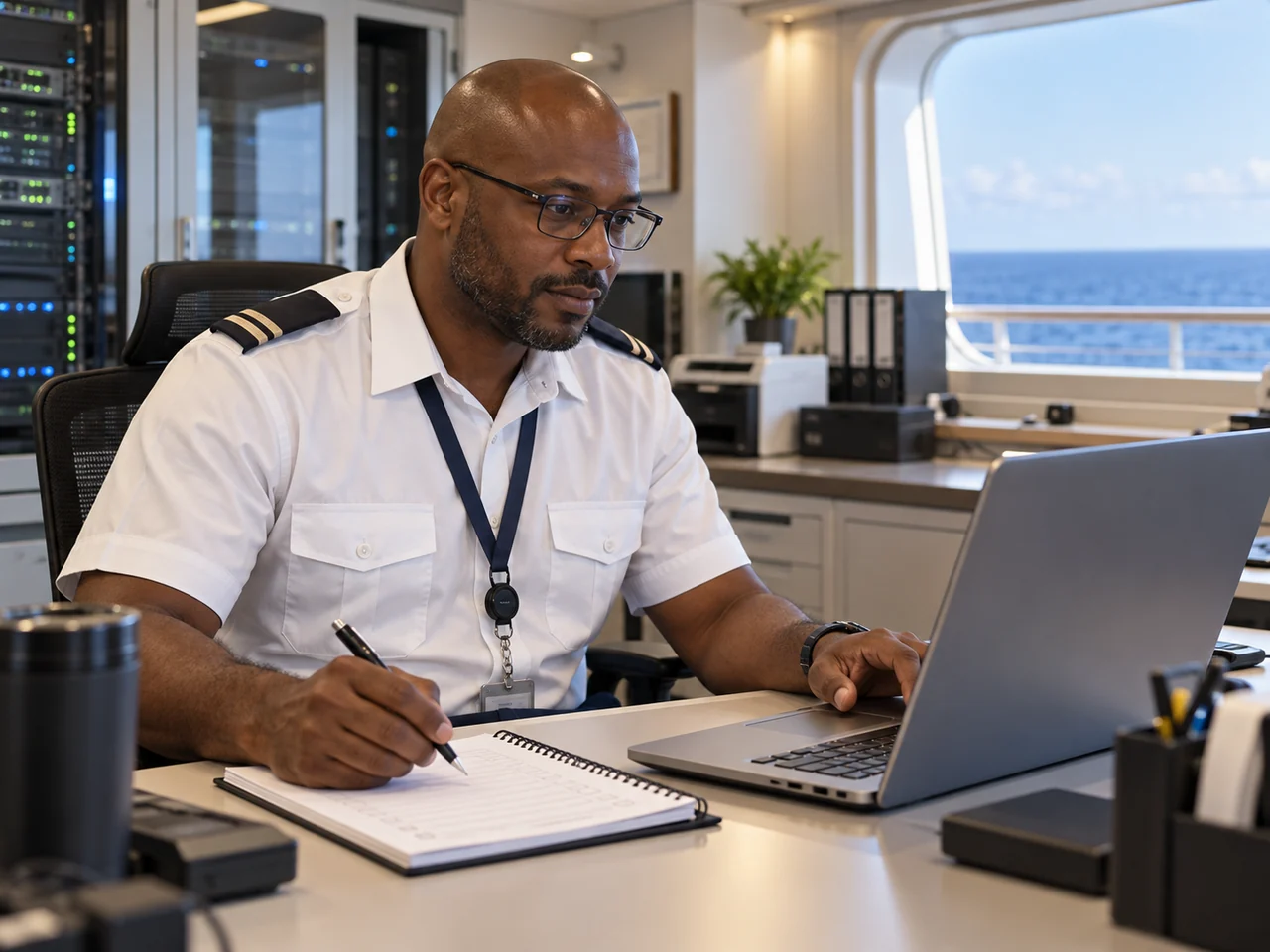
Black cruise ship IT operations professional in a modern shipboard technology room
Crew Life at Sea
Menu

Career guide · information technology

Build your cruise ship IT career path

Explore shipboard IT support, systems and leadership roles, learn which experience can transfer and prepare for the requirements of a real vacancy.

Technical service · clear records · shipboard teamwork

Technology supports life at sea

Shipboard IT combines technical service with dependable operations.

Cruise ship technology teams may support crew and guest services, approved business applications, end-user equipment and onboard connectivity. The exact systems and responsibilities depend on the operator, vessel, position and department structure. Some companies recruit shipboard IT under operations support; the title and reporting line are not universal.

Good candidates pair practical troubleshooting with patient communication, accurate ticket records and respect for access controls. A shipboard IT professional may work with colleagues across hotel, guest service, entertainment, marine and shoreside teams, but each system has an assigned owner. Follow the employer’s procedures and only access or change systems that fall within your training and authority.

Begin with the duties in a current advert. “IT Officer”, “IT Support” and “Systems Specialist” can mean different things from one cruise line to another.

Shipboard job families

See where your IT experience could fit.

These are examples of work areas, not guaranteed ranks or a fixed ladder. A role may combine tasks or use a different title. Match your application to the exact vacancy. Prepare a role-specific application file with a concise CV, contactable references and clear copies of relevant qualifications when requested. Check spelling, contact details, dates and certificate expiry, then follow the employer’s file format and keep a record of the submission date and response route.

Black cruise ship IT support technician working through user requests at a shipboard help desk

Frontline support

IT support and service desk

Depending on the vacancy, support work may include logging and prioritising requests, helping users with approved devices or applications, setting up accounts through authorised workflows, documenting fixes and escalating issues that need another team.

Show: a clear troubleshooting method, service-desk or user-support experience, careful handovers and the way you explain technical steps to non-technical colleagues.

Black woman cruise ship systems specialist reviewing an equipment inventory beside network racks

Systems and infrastructure

Systems and network support

Some roles work with endpoint services, authorised accounts, network equipment, connectivity or routine system maintenance. Scope varies. Network or server access is controlled by the company; work must follow approved changes, security rules and escalation paths.

Show: the platforms and equipment you actually supported, what you were authorised to change, how you tested changes and the records you kept.

Black cruise ship IT help-desk professional assisting users through a support headset

Applications and devices

End-user and application support

On some ships, IT staff support workstations, printers, approved applications or point-of-sale and property systems. Other companies assign these systems to separate teams or suppliers. Read the job description carefully instead of assuming all shipboard IT jobs cover the same software.

Show: the user groups you helped, the application types you know, how you protected access and data, and a real example of resolving a recurring issue.

Black cruise ship IT manager reviewing a planned maintenance checklist in the onboard technology office

Team and service leadership

Shipboard IT supervisor or manager

Where this position exists, leadership may include coordinating support, service priorities, staff handovers, inventory and planned maintenance, and communicating with shoreside technology teams. The manager’s scope and team size are company-specific.

Show: how you prioritised competing needs, kept stakeholders informed, coached colleagues and handled incidents in line with company procedures.

Make your application concrete

Prove the skills behind the job title.

Shore-based experience can be relevant when it matches the role’s day-to-day work. Explain what you personally did, at what scale and under which controls. For each role, identify the day-to-day tasks, who it reports to, the expected experience and any mandatory qualification. Build a shortlist around evidence you can provide, then use the live vacancy to confirm current duties and conditions because titles vary by employer.

01 · Diagnose

Troubleshooting

Describe how you gathered symptoms, checked known causes, tested safely, recorded the result and escalated when the issue exceeded your authority.

02 · Support

Clear user communication

Give an example of helping a frustrated or non-technical user, agreeing expectations, protecting privacy and confirming that the service was restored.

03 · Secure

Access and cyber hygiene

Show responsible handling of credentials, permissions, suspicious messages, sensitive data, approved software and incident reporting. Never disclose internal configurations.

04 · Maintain

Systems and equipment

Name the operating systems, endpoints, applications, network technologies or support tools you have genuinely used. State whether you installed, monitored, administered or only assisted.

05 · Document

Tickets and handovers

Explain how you wrote clear ticket notes, maintained asset information, followed change procedures and passed unresolved work to the next shift.

06 · Collaborate

Work across departments

Show how you coordinated with operations, suppliers or other technical teams without interrupting work or bypassing approval and safety procedures.

Black cruise ship IT operations analyst documenting a support incident in a technology office
Good IT support combines a repeatable technical process with calm, useful communication.

Experience that can transfer

Build a strong case from work you already know.

Service-desk, hotel technology, field support, managed-service-provider and enterprise IT experience can all offer useful examples. What matters is the fit with the specific position. A shore-side technician might be well prepared for user support but still need to learn the ship operator’s systems, security rules, reporting structure and joining requirements.

For more specialist work, employers may look for practical experience in networking, endpoint management, identity and access, application support, service operations or security. Formal certificates can strengthen a profile when they relate to the advert, but no single course guarantees an interview, ship assignment or promotion.

Prepare your IT CV ↗

A realistic development route

Grow by taking on broader responsibility.

Not every cruise line has the same titles or stages. This is a planning framework; vacancies, employer structure, performance and role-specific qualifications determine which moves are possible. Compare the listed duties, experience level, language needs, schedule and required certificates with work you have actually done. Note evidence for each essential criterion and ask whether equivalent experience is accepted before spending money on training or travel.

Stage 01 · Support

Build dependable fundamentals

Resolve user issues, follow access procedures, keep good records and learn the employer’s approved systems and escalation routes.

Stage 02 · Specialise

Develop a technical strength

Build experience in a relevant area such as endpoint support, applications, networking or service operations when the company has that scope.

Stage 03 · Lead

Coordinate people and service

Demonstrate sound judgement, reliable handovers, incident coordination, supplier communication and support for other team members.

Stage 04 · Broaden

Explore senior or shoreside roles

Depending on openings and employer structure, experienced staff may apply for shipboard management, fleet operations or a separate shoreside technology vacancy.

Time served does not guarantee a step up. Ask how a company advertises internal vacancies and what evidence or qualifications it expects for the next eligible role.

Role-specific checks

Confirm training and joining steps before you pay.

Requirements can vary by company, job, vessel, flag and itinerary. Use the employer’s current vacancy and written instructions as the source for your own application. Check the course against the requirement for your role, not just a similar-sounding certificate. Ask the provider who approves it, what is assessed, where practical training takes place, how long the certificate remains valid and whether your employer accepts that provider.

01

Match the qualification to the job

Ask whether the employer needs a particular IT credential, experience level, assessment or technical portfolio. Verify that a course is recognised for that vacancy before enrolling.

02

Check maritime and safety training

Do not assume every IT vacancy has the same STCW course or seafarer certificate requirement. Confirm what applies to the duties, ship and joining route directly with the hiring organisation.

03

Prepare travel and medical documents

Passport validity, visa, medical, background and other joining checks may apply. The employer or authorised recruiter should explain the steps, timing and responsible provider.

04

Verify the employer and offer

Confirm the legal employer, ship assignment, contract length, pay and deductions, work schedule, accommodation, travel costs, insurance and repatriation terms in writing.

Prepare for a technical interview

Practise the decisions employers need to trust.

Use short, honest examples. Explain how you assessed risk, communicated with users, followed company procedures and knew when to escalate. Prepare a concise question with the role, application stage and reference number, if available. Share only the information needed to resolve it, and use verified company contact channels for sensitive documents or requests involving payment.

A service interruption

Describe how you confirmed the affected users and service, followed the approved recovery process, gave timely updates and recorded what happened.

An access request

Explain how you verified the request and approval, applied the least access needed under policy and documented the change.

A possible security incident

Show how you preserved relevant information, avoided speculative changes, alerted the designated security contact and followed incident instructions.

CV bullet template: “Supported [user group or number of users] across [environment]; resolved [issue types] using [tools or systems], recorded actions in [ticketing process] and escalated [example] under [policy or service target].” Replace every bracket with accurate evidence; never invent a performance metric.

Life and work onboard

Review the working arrangement along with the technology.

Shipboard roles can differ from similar shore-based IT jobs. Ask the employer to explain the practical details before accepting an offer. Shipboard work includes routines between port calls: safety drills, handovers, shared spaces and role-specific shifts. Confirm the applicable rest arrangements, cabin allocation and personal-item rules with the employer, then follow the vessel’s induction and safety instructions.

Schedule and handover

Confirm normal hours, weekend or port-day coverage, on-call expectations, rest arrangements and how urgent issues are handed to the next shift.

Team, tools and authority

Ask who you report to, which services fall within your remit, what support is available shoreside and how changes and security incidents are approved.

Contract and costs

Check contract duration, compensation, deductions, accommodation, travel and visa arrangements, medical steps, insurance and repatriation in the written offer.

IT career FAQs

Get clear on the route before applying.

Employer policies vary. Use current official careers information and ask the hiring team to confirm details for the specific position.

What does an IT professional do on a cruise ship?

Duties vary by employer and position. Shipboard IT may support user requests, approved devices and applications, connectivity, service records, access requests and system maintenance within the employee’s assigned authority.

Do I need cruise ship experience for an IT job?

Some vacancies may consider relevant shore-based IT support or systems experience, while others ask for prior shipboard service or experience with particular systems. Check the current role requirements with the hiring employer.

Which IT certificates should I get before applying?

There is no single certificate required for every shipboard IT job. Review the vacancy first, then ask the employer which qualifications it recognises for the role. A training certificate does not guarantee employment or promotion.

Does a shipboard IT job require STCW training?

Joining and safety-training requirements depend on the employer, position, vessel and route. Do not assume one course applies to all IT roles; confirm the required training with the employer before paying for a course.

Are cruise ship IT staff officers?

Job titles, rank structures, accommodation and access privileges vary by company and assignment. Ask the hiring employer to explain the position’s reporting line, onboard status and contract terms in writing.

Can I move from IT support into a systems role?

It may be possible when a suitable vacancy exists and you meet its experience, performance, training and selection requirements. Build documented experience and ask how internal applications are handled.

How long does promotion take in shipboard IT?

There is no universal timeline. Role availability, employer structure, performance, experience and required credentials affect progression. Treat each next step as a vacancy to qualify for rather than a guaranteed stage.

What should I show on an IT cruise ship CV?

Show the systems and user environments you supported, the work you personally performed, the types of issues resolved, ticketing and documentation practices, customer communication, security awareness and relevant qualifications. Use accurate examples and protect confidential information.

Will I work on navigation or engine control systems?

Do not assume that an IT vacancy includes access to safety-critical navigation or engineering systems. System ownership and access are controlled by each employer. Work only within your assigned training, authority and procedures.

Where can I check current cruise ship IT vacancies?

Start with the cruise operator’s official careers page and current vacancy. Confirm the legal employer and any authorised recruiter, then follow the employer’s written application and joining instructions.

Keep preparing

Related cruise crew guides.

Use these guides to compare other shipboard careers and strengthen your application and joining preparation. Match each essential vacancy criterion to dated evidence: a specific duty, your own contribution, a result and a referee or certificate that can support it. Keep job titles and dates consistent across your CV and forms, submit through the verified channel and save the version you sent.

Official employer references: Royal Caribbean Group shipboard careers lists information technology among its operations-support role families. Its page also says additional qualifications vary by role. This is one employer’s guidance, not a universal cruise-line policy.